Build a business website with AI
Use Youmake’s AI website builder to turn a business brief into a website you can edit through conversation. Start with your customers, services, and the action you want visitors to take.
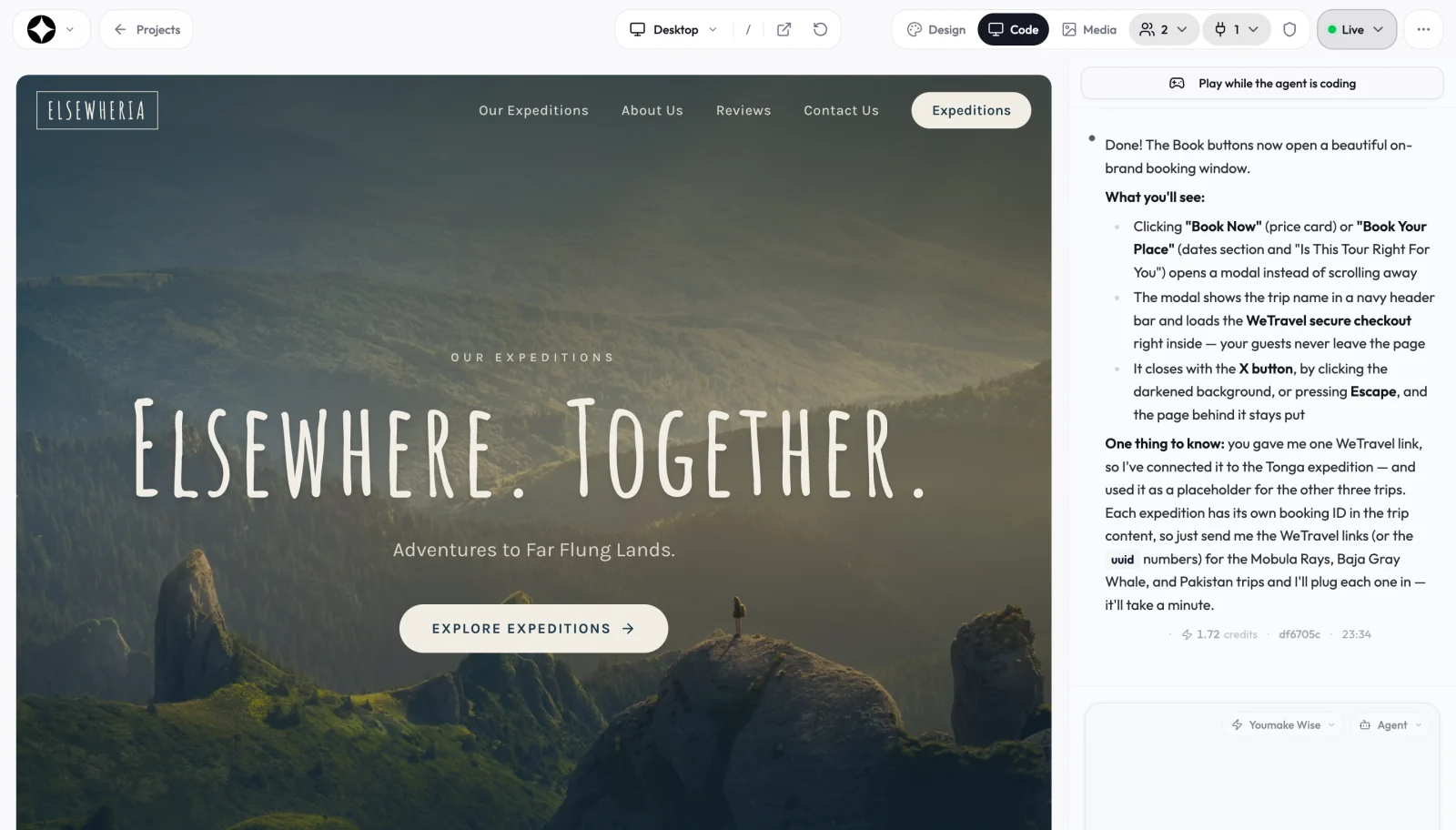
Start with a useful brief
Include the business name, services, opening hours, location, and contact details you want to publish. Specify the pages you need: a homepage, services, about, and contact page. Supply your own logo and photos when available.
Preview and refine each page
Ask for changes to copy, spacing, colors, or layout in chat. Review the desktop and mobile previews. Check that navigation and calls to action lead to real destinations before you publish.
Add functions as your business needs them
A simple brochure site may only need a contact link. Bookings, accounts, and payments need additional integrations and testing. Build one workflow at a time and check it with sample data.
Publish with a clear handoff
Connect your deployment, confirm the live URL, and test every public page. You can export your code if you want to continue development elsewhere. Hosting and connected services may have separate costs.
Who this is for
Small business owners who want a site they control, and freelancers or small agencies who build sites for clients. You can publish to your own domain, invite collaborators on the Builder plan and above, and hand over the code or a GitHub repository when the project ends.
What it costs
Plans start at $20 a month for 40 credits on Starter, $45 for 90 credits on Builder, and $120 on Agency. Each agent reply shows the credits it used, so you can see what a change costs. There is no free plan; you can try Starter for 3 days for $1 with a card.
How it compares
Template builders such as Wix and Framer are quick for marketing pages but do not export code. Prompt-to-app tools such as Lovable and Bolt.new have free plans and focus on web apps. Youmake also builds mobile apps and slide decks and is designed around client handoff.
A sample brief to start with
Create a website for a neighborhood bakery with a menu, opening hours, location, and a contact page. Use my supplied photos and make the menu easy to read on a phone.
Start building with YoumakeStarter trial: 3 days for $1. Credit card required. Review renewal terms at checkout.